

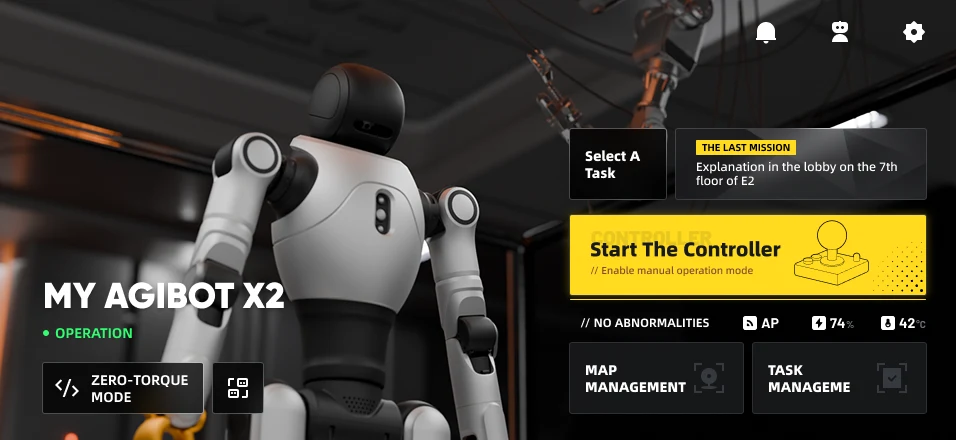
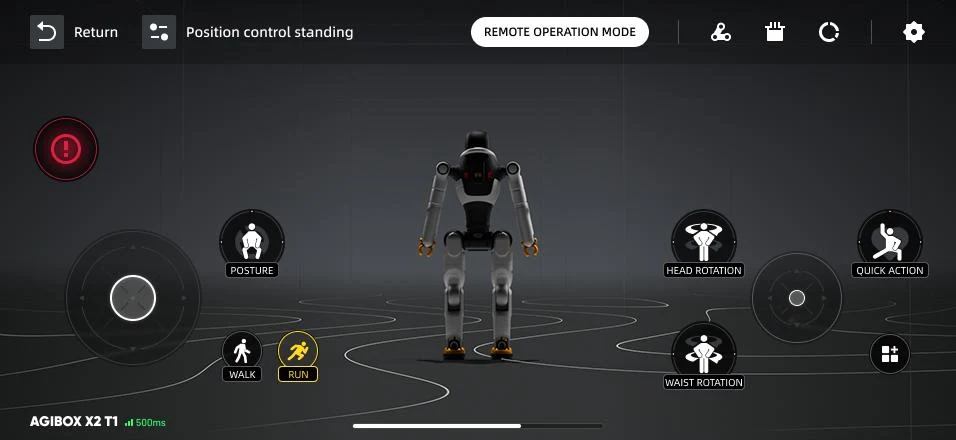
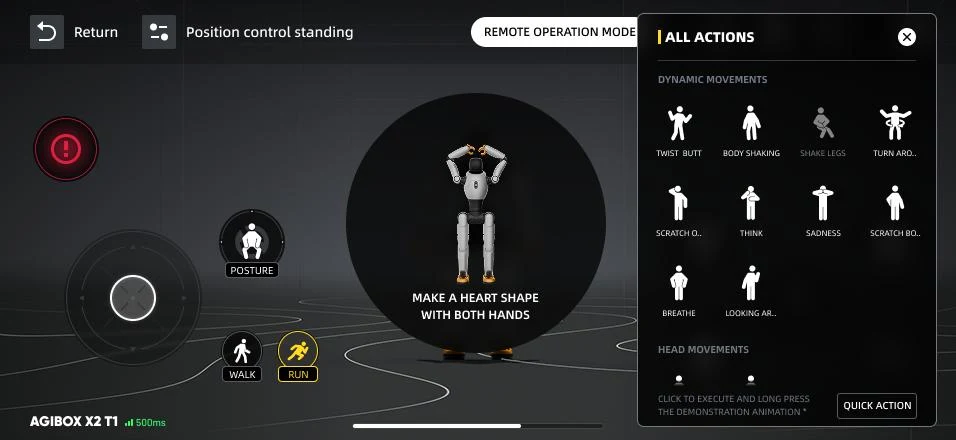
Screenshot 1 of 3. Device dashboard: connection state, battery, temperature, and one tap into the controller.
AGIBOT Go
The companion app for the AGIBOT platforms we deliver.

Device management
Pair a robot once, then switch between units without setting anything up again.

Manual control
Virtual sticks for walking, turning and posture, plus the preset action library.

Health monitoring
Battery, temperature and fault state, read live off the machine.

Firmware updates
Over-the-air upgrades, so a unit already in the field stays current.
AGIBOT Go is published by AGIBOT, not by Robotoplus, and is free to use. The Android build is distributed as a direct download rather than through Google Play. Screenshots are AGIBOT's own.
What you actually do with it
Connect the robot
The app finds the unit and pairs with it. Once a robot is known, moving between several of them is one tap, which is the difference between a fleet and a drawer of manuals.
Drive it by hand
Walking, turning, posture and the preset actions, without a laptop or a terminal session. This is how most people first move a humanoid, and how a demonstration gets run.
Keep it current
Battery, temperature and fault state are live rather than logged, and firmware arrives over the air instead of by service visit.
Before you rely on it
Ask about your modelThe AGIBOT platforms, including the X2 series shown in the screenshots. What a given unit supports follows its own firmware, so tell us the model and we will confirm in writing before you order.
Yes. AGIBOT Go requires an AGIBOT account, which you create in the app on first launch.
No. The app is free and published by AGIBOT. There is no separate licence to buy from us, and we do not resell it.
The app talks to AGIBOT's services under AGIBOT's terms and privacy policy, not ours. If your deployment has data-residency or network-isolation requirements, raise them before you order and we will get you a written answer.